Manage Your Finances
with Intelligence

An enterprise-grade, fully database-backed wealth platform built with Next.js, Prisma ORM, and Neon Serverless PostgreSQL. Persist checking accounts, automate backend cron jobs, split group bills with optimized graph reductions, and run Gemini AI OCR receipt extractionsβ€”all fully integrated with production-level persistence.

Test AI receipt scanning, group bill splitting, and interactive charts instantly without signing in!
How to Best Test the App:

Instead of manually typing accounts and transactions to see the graphs (which would take days of typing!), we highly recommend logging in and clicking "Load Demo Data". This instantly fills your dashboard with 90 days of sample transactions, budgets, and friends groups so you can test all features in 10 seconds!

Easy Setup Walkthrough

How to Try the App

Follow these 4 simple steps to test all of our features in under a minute!
Step 1: Sign In
Fast One-Click Login

Log in quickly using your Google or GitHub account. No registration forms or passwords needed!

Step 2: Load Demo Data
Skip Manual Typing

Instead of typing transactions one by one, click "Explore with Demo Data" on your dashboard to instantly fill it with 90 days of sample data so you can see all charts and features in action.

Step 3: Scan a Receipt
AI Receipt Scanner

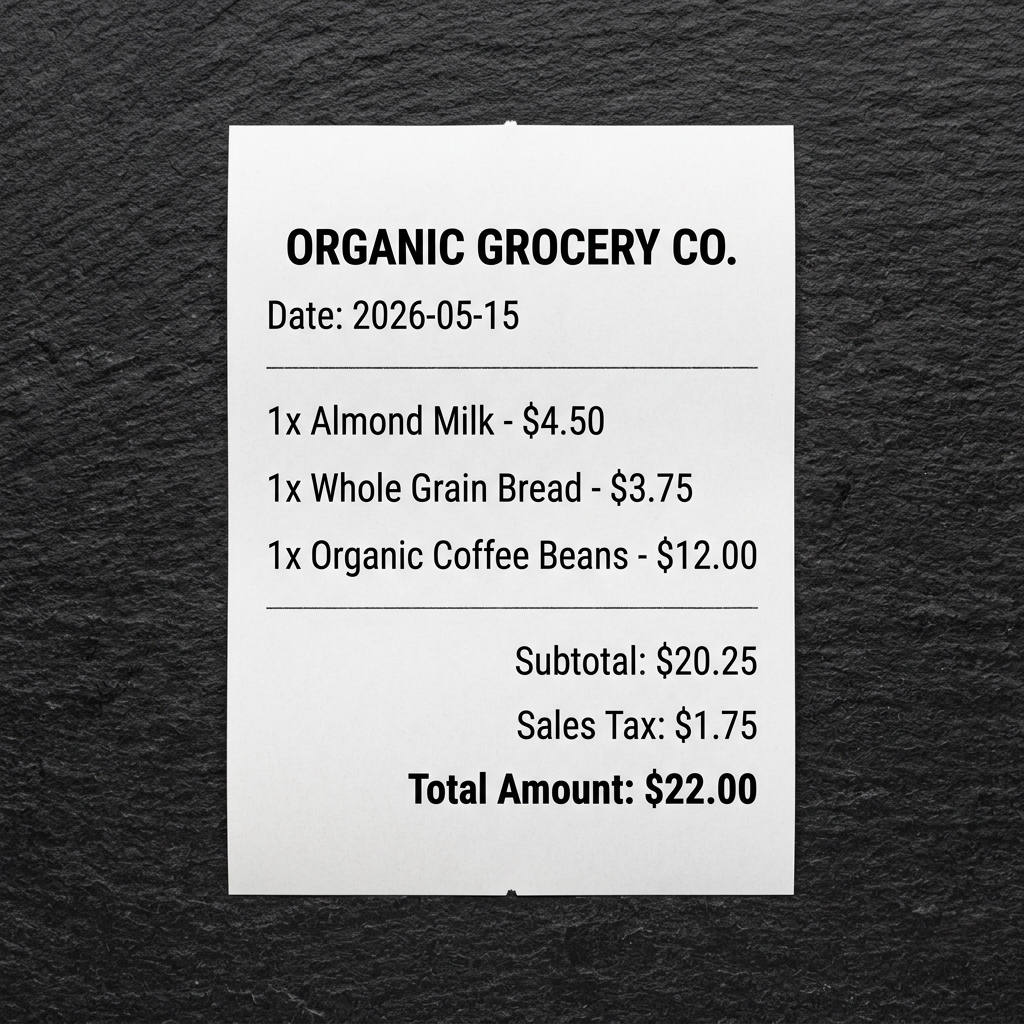
Download our sample receipt and upload it. The AI will read the receipt and fill out the transaction form for you automatically!

Step 4: Split Bills with Friends
Simple Bill Splitter

Go to "Groups", open the "Friends (Demo)" group, and log a shared bill. The app automatically calculates who owes what in the fewest possible bank transfers.

90 Days
Dynamic Demo Seeding
1-Click
Gemini OCR Auto-Fill
Greedy
Debt Simplification Algo
Automated
Subscription Billing Cron
Platform Features

Simple, Powerful Financial Tracking

Everything you need to scan receipts, split shared bills, and automate your subscriptions in one dashboard.

🏦

Smart Account Tracking

Keep tabs on multiple savings, checking, or credit card accounts in one unified dashboard.

What you can do: Create custom accounts, specify starting balances, toggle default accounts, and view live calculations.
Why use it: Since you don't need to link real bank accounts, your data remains 100% private and secure.
πŸ€–

AI Receipt Scanner

Snap a photo of any store or restaurant receipt to extract purchase details using Gemini AI.

What you can do: Drag-and-drop receipt files (PNG, JPG, SVG) and let the AI automatically identify items, merchant names, dates, and totals.
Why use it: Completely saves you from typing names, dates, and numbers manually.
πŸ”„

Recurring Subscriptions

Track recurring bills, utilities, or services like Netflix, Spotify, or Rent automatically.

What you can do: Schedule recurring intervals (daily, weekly, monthly, yearly) and let our background cron engine process payments on the due date.
Why use it: Keeps your future balances accurate and prevents you from forgetting subscription costs.
πŸ‘₯

Group & Friends Bill Splits

Share travel bills, dinner tabs, rent, or groceries with friends, roommates, or travel groups.

What you can do: Create groups, add friends or guest members, log shared bills, and calculate exactly who owes whom.
Why use it: Uses a greedy graph-settlement algorithm to simplify debts, reducing settlement down to the absolute minimum transfers.
πŸ“Š

Analytics & Budgets

Compare monthly spending against custom budget limits and categorize expenses.

What you can do: Track interactive pie and area charts, get automated warning alerts when budget utilization exceeds 80%.
Why use it: Provides clean, animative visual summaries of your savings trends and spending habits.
πŸ’¬

AI Chat Advisor

Interact with a smart conversational AI assistant that directly queries your financial records.

What you can do: Ask questions like "Am I on track to meet my budget?" or "Show my recent grocery transactions" to get instant, context-aware answers.
Why use it: Uses secure Gemini tool calling to run safe SQL queries restricted strictly to your account data.
πŸ•ΈοΈ

Visual Debt Settlement

See debt minimization results mapped out visually with our dynamic, interactive network graph.

What you can do: Toggle to 'Interactive Graph' inside a group to inspect payment directions, hover over members to highlight connections, and watch particle money flow.
Why use it: Brings the greedy minimization algorithm to life visually, making it easy to understand complex splits.
πŸ“„

Statement PDF/CSV Exports

Download personal account records and group split summaries as clean PDF sheets or CSV spreadsheets.

What you can do: Generate banking-style transaction statements or shared expense settlement invoices with a single click.
Why use it: Mimics accounting software utility for easy physical records or tax preparation.